A Windows PC or laptop
The counter you already bill on is usually enough. No server room required.
Getting started
No drawn-out rollout. We do the setup with you, on your counter, using your menu — and your team practises on your own dishes.
A photo, a PDF or your existing export is enough. We import the dishes, prices and tax slabs for you.
GST details, tables, printers and receipt format. Remote on your PC, or on-site if you're in Bengaluru.
Thirty minutes at the counter and on the phones. Bills, kitchen tickets and table moves, practised on your own menu.
Most counters are ready on day one — we check the printer format on the call.
What you need
If you already bill on a computer and your servers carry phones, you're set.
The counter you already bill on is usually enough. No server room required.
Your existing printer and cash drawer normally work as-is. We check the format with you.
The phones your team already carries. Install the app and connect over restaurant Wi-Fi.
Printing
The GST invoice, the kitchen ticket and the customer receipt all print on the thermal printer you already own. Set the format once — logo, GSTIN, footer — and every counter prints the same.
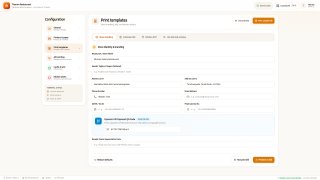
Print templates · invoice, KOT and receipt
Book a demo
Send us your menu and a good time to call. We'll set up a walkthrough on your own dishes and tell you what setup would look like.